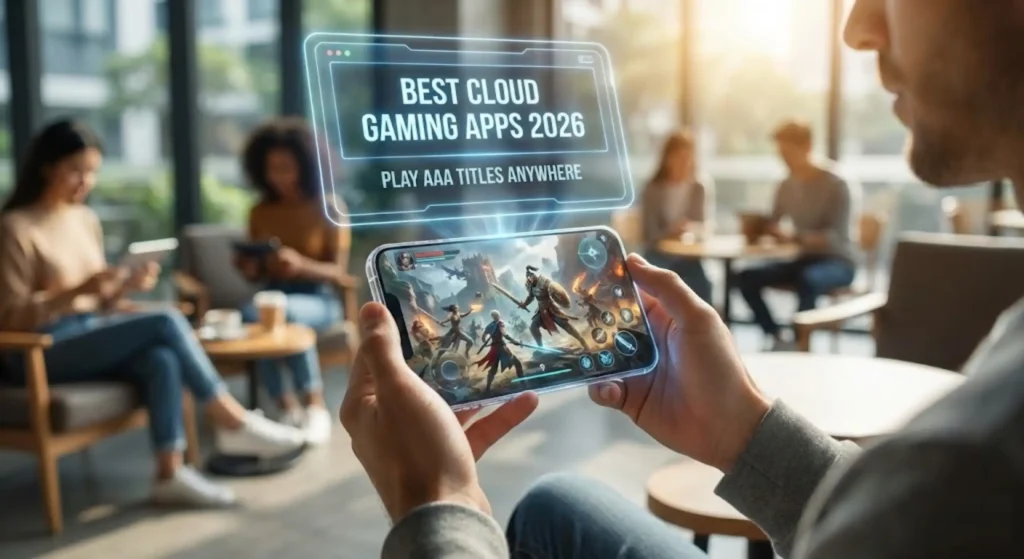
Imagine this: You’re stuck in traffic on your daily commute, but instead of scrolling through social media, you’re deep into an epic boss fight in Elden Ring or racing through Forza Horizon 5—all on your smartphone, without a single lag spike or overheating phone. That’s the magic of cloud gaming in 2026, and it’s no longer a pipe dream. With 5G networks blanketing more cities and AI optimizing streams in real-time, cloud gaming apps have turned mid-range mobiles into powerhouse consoles.
As someone who’s tested dozens of these services over the years (from the clunky early days of Stadia to today’s seamless setups), I can tell you 2026 is the year cloud gaming truly goes mainstream for mobile users. No need for a beefy PC or console—just a stable internet connection and one of these top apps. In this guide, we’ll break down the best cloud gaming apps for Android and iOS, complete with pricing, game libraries, pros, cons, and tips to get you started. Whether you’re a casual gamer squeezing in sessions during lunch breaks or a hardcore player chasing high scores, there’s something here for you.
Why Cloud Gaming is a Game-Changer for Mobile Users in 2026
Let’s face it: Mobile hardware hasn’t caught up to the demands of modern AAA games. Your phone might handle Candy Crush like a champ, but titles like Cyberpunk 2077 would melt it. Enter cloud gaming: Servers do the heavy lifting, streaming buttery-smooth 1080p (or even 4K) gameplay to your device. In 2026, expect lower latency thanks to edge computing—think under 20ms delays in urban areas—and smarter apps that auto-adjust quality based on your signal.
The perks? Massive libraries without eating storage, cross-save progress across devices, and affordability (many under $20/month). According to industry forecasts, the cloud gaming market will surge past $14 billion by 2027, with mobile leading the charge. But not all apps are created equal—some shine on Android, others play nicer with iOS quirks. Let’s dive into the top picks.
1. Xbox Cloud Gaming (via Game Pass Ultimate): The All-Rounder for Every Mobile Gamer
If there’s one app that screams “best cloud gaming for mobile users in 2026,” it’s Xbox Cloud Gaming. Bundled with Xbox Game Pass Ultimate, it gives you instant access to over 400 streamed titles, plus thousands more you own on PC or Xbox.
Key Features and Mobile Compatibility
- Game Library: Blockbusters like Starfield, Halo Infinite, and day-one releases from Bethesda and Activision. Indie gems and EA Play integration too.
- Mobile Support: Native Android app; iOS via Safari browser (no app due to Apple’s rules, but it works flawlessly). Touch controls or Bluetooth controller pairing.
- Performance: Up to 1080p/60fps, with 4K experiments rolling out mid-2026. AI upscaling smooths out weaker connections.
- Pricing: $19.99/month for Ultimate (includes cloud, console, PC downloads, and multiplayer).
Pros and Cons
Pros: Huge value—it’s like Netflix for games. Seamless saves across Xbox, PC, and mobile. Family sharing options make it great for households.
Cons: Library focuses on Microsoft ecosystem; occasional input lag on spotty Wi-Fi. iOS browser workaround feels a tad second-class.
Real talk: I once finished a Sea of Thieves raid on my Pixel during a flight (with onboard Wi-Fi). If you’re new to cloud, start here—it’s forgiving and fun.
2. NVIDIA GeForce Now: Powerhouse Streaming for PC Game Owners
For those with Steam or Epic libraries collecting dust, GeForce Now is your 2026 mobile savior. It streams your existing games at RTX-level graphics, no re-downloads needed.
Key Features and Mobile Compatibility
- Game Library: Over 1,500 titles, including Fortnite, Cyberpunk, and The Witcher 3. Free tier access to popular free-to-play games.
- Mobile Support: Dedicated apps for Android and iOS. Supports keyboard/mouse or controllers; pinch-to-zoom for precise aiming.
- Performance: Priority tier hits 1440p/120fps with ray tracing. Ultimate tier? 4K/240fps on capable networks.
- Pricing: Free (1-hour sessions), Priority $9.99/month (6-hour sessions, RTX), Ultimate $19.99/month (8-hour, max settings).
Pros and Cons
Pros: Bring-your-own-games flexibility. Blazing speeds on 5G—feels like local play. Queue times slashed in 2026 updates.
Cons: Not all games supported (check compatibility tool). Free tier has ads and short sessions during peaks.
Pro tip: Pair it with a Razer Kishi controller for that console vibe on your phone. It’s my go-to for grinding Destiny 2 raids without firing up the desktop.
3. Amazon Luna: Seamless for Prime Members on the Go
Luna keeps it simple and affordable, especially if you’re already in the Amazon ecosystem. In 2026, it’s expanded with Ubisoft+ integration, making it a stealth powerhouse for mobile.
Key Features and Mobile Compatibility
- Game Library: 100+ core titles like Assassin’s Creed Valhalla and Control, plus channels for retro (Ubisoft, Jackbox).
- Mobile Support: Apps on Android and iOS. Luna Controller pairs wirelessly; on-screen controls for quick pickups.
- Performance: 1080p/60fps standard, with low-latency mode for competitive play. Alexa voice commands for hands-free navigation.
- Pricing: $9.99/month Luna+; free with Prime for select games. Add-ons like Ubisoft+ at $17.99/month.
Pros and Cons
Pros: No queues, ever. Integrates with Twitch for easy streaming. Budget-friendly for casuals.
Cons: Smaller library than rivals. iOS app occasionally glitches on older devices.
I’ve used Luna for family game nights—Jackbox Party Pack on iPads is hilarious and lag-free. Perfect if you’re dipping toes into cloud without commitment.
4. PlayStation Plus Premium: Console Classics on Your Phone
Sony’s cloud beta has matured into a full-fledged service by 2026, streaming PS5/PS4 hits to mobile with stunning fidelity.
Key Features and Mobile Compatibility
- Game Library: 700+ titles, from God of War Ragnarök to The Last of Us. PS1-3 classics with upgrades.
- Mobile Support: Android app; iOS browser. DualSense controller emulation for haptic feedback.
- Performance: Up to 1080p/60fps, with 4K trials. Cloud saves sync instantly.
- Pricing: $17.99/month Premium tier (includes downloads, trials, streaming).
Pros and Cons
Pros: Exclusive Sony gems shine in cloud. Quick resume feature across devices. Great for PS owners.
Cons: Higher price for what you get. Limited to Sony ecosystem—no third-party breadth.
As a PS loyalist, streaming Spider-Man 2 on my commute feels futuristic. If you crave narrative adventures, this is your app.
5. Boosteroid: The Underdog with Unlimited Potential
Europe’s rising star, Boosteroid, emphasizes unlimited playtime and broad compatibility—ideal for marathon mobile sessions in 2026.
Key Features and Mobile Compatibility
- Game Library: 1,000+ PC games via Steam/Epic integration. Hits like Red Dead Redemption 2 and indies.
- Mobile Support: Android and iOS apps. Customizable touch overlays; VPN-friendly for global access.
- Performance: 1080p/60fps, with 4K beta. Low data usage optimizations.
- Pricing: $9.99/month (unlimited hours, no queues).
Pros and Cons
Pros: Affordable, no session limits. Strong in emerging markets with localized servers.
Cons: Smaller U.S. server footprint can mean higher latency. Library relies on user-owned games.
Don’t sleep on this one—it’s like GeForce Now but cheaper and more mobile-focused. I binged BGMI variants here without interruptions.
Honorable Mentions: Blacknut and Nebula for Niche Needs
For family-friendly vibes, Blacknut ($9.99/month) offers 500+ kid-safe games on Android/iOS, with parental controls galore. If you’re Android-only and crave free AAA trials, Nebula’s app streams PC hits like Doom Eternal with a pay-per-hour model—great for testing waters.
Quick Comparison: Which Cloud Gaming App Fits Your Mobile Setup?
| App | Best For | Price/Month | Library Size | Max Resolution/FPS | Android/iOS |
|---|---|---|---|---|---|
| Xbox Cloud | All-around value | $19.99 | 400+ streamed | 1080p/60 | App/Browser |
| GeForce Now | PC owners | $9.99-$19.99 | 1,500+ | 4K/240 | App/App |
| Amazon Luna | Prime users | $9.99 | 100+ | 1080p/60 | App/App |
| PS Plus Premium | PS fans | $17.99 | 700+ | 1080p/60 | App/Browser |
| Boosteroid | Unlimited play | $9.99 | 1,000+ | 1080p/60 | App/App |
Tips to Optimize Cloud Gaming on Your Mobile Device in 2026
- Wi-Fi First: Stick to 5GHz bands or 5G for under 50ms ping. Use Ethernet adapters for hotspots.
- Controller Magic: Backbone One or Xbox Wireless—transforms touch into precision.
- Data Savers: Lower to 720p on cellular; apps like GeForce Now cap usage at 10GB/hour.
- Battery Hacks: Enable low-power mode, dim screen. External batteries are a must for long hauls.
- Troubleshoot Lag: Close background apps; test speeds with built-in tools. VPNs help in restricted regions.
One more: Always check regional availability—services like Boosteroid excel in Europe/Asia.
The Future of Cloud Gaming Apps on Mobile: What’s Next in 2026 and Beyond
By mid-2026, expect AI-driven personalization: Apps suggesting games based on your playstyle, auto-scaling graphics per scene. Cross-platform esports will boom, with mobile pros competing against PC. And with app store openings, more indie cloud titles will flood in. Sustainability? Greener servers mean less carbon footprint than local rigs. Mobile cloud isn’t replacing consoles—it’s freeing gaming from them.
Final Thoughts: Level Up Your Mobile Gaming Life Today
Cloud gaming in 2026 isn’t about gimmicks; it’s about freedom—play what you want, where you want, on the phone in your pocket. My top rec? Xbox for beginners, GeForce Now for vets. Whichever you choose, dive in with a free trial and see the difference. Got a favorite app or setup hack? Drop it in the comments—I’d love to hear how you’re streaming your wins.
Ready to cloud-hop into adventure? Download one now and thank me later. Game on!