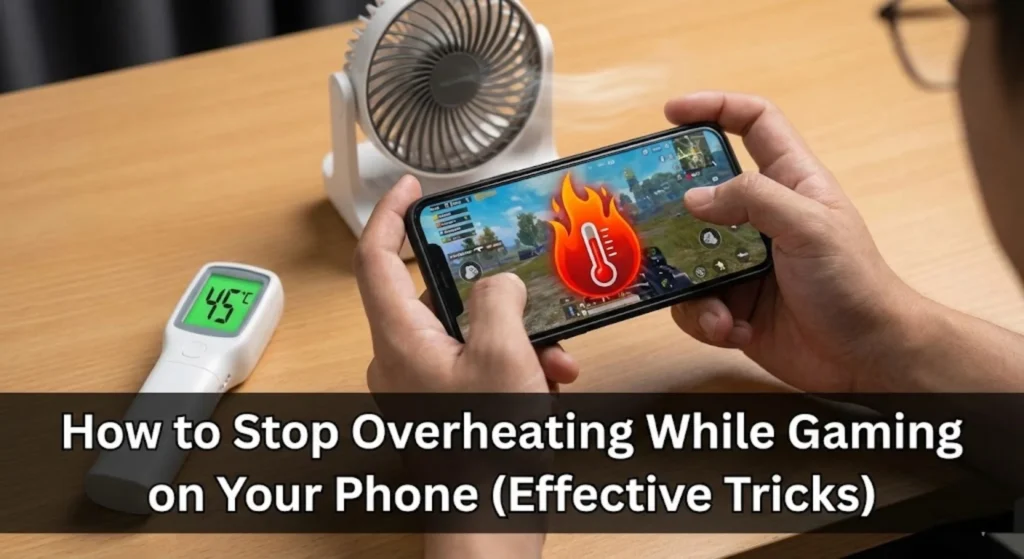
There you are, fingers flying across the screen, completely immersed in your favorite mobile game. The battle is intense, victory is within reach, and then it happens—a sudden, frustrating stutter. Your character freezes for a split second, and in that moment, defeat snatches you. As you groan in frustration, you feel it: the unmistakable, uncomfortable warmth radiating from the back of your phone. Your sleek gaming device has turned into a pocket-sized heater. This isn’t just a minor annoyance; it’s a sign that your phone is crying out for help. Overheating is the silent killer of mobile gaming sessions. It causes performance to plummet, drains your battery at an alarming rate, and over time, can silently degrade your phone’s precious internal components. But what if you could play the latest, most demanding titles for hours on end without your phone ever breaking a sweat? The truth is, you absolutely can. By understanding the simple why behind the heat and adopting a few practical habits, you can transform your gaming experience from a laggy, hot mess into something consistently smooth and cool. This guide is packed with actionable, effective tricks that work today and will keep your device safe and performant well into the future of mobile gaming.
Why Your Phone Turns into a Pocket Heater
To solve the overheating problem, we first need to peek under the hood. Your smartphone is a masterpiece of miniaturization, packing incredible power into a slim, sealed frame with no moving parts. When you launch a graphically intensive game, you’re essentially asking it to perform a marathon at a sprinter’s pace. The main processor (CPU) and graphics chip (GPU) kick into overdrive, calculating complex physics, rendering stunning environments, and managing network data all at once. This immense computational effort generates heat as a direct byproduct—it’s simple physics. At the same time, your battery is working overtime to supply the energy for this digital heavy lifting, and its own chemical reactions produce additional warmth. In a well-designed laptop, tiny fans whisk this heat away. In your phone, with no internal fans, that heat has nowhere to go but out through the glass and metal casing, right into your hands. This thermal throttling is your phone’s built-in survival instinct, but it comes at the cost of your gaming pleasure. Consistently pushing your device to its thermal limits isn’t just about a bad gaming session; it slowly wears down the battery’s ability to hold a charge, shortening the overall lifespan of your favorite gadget.
Your Anti-Overheating Action Plan: Effective Tricks for Cooler Gaming
You don’t need to buy expensive cooling accessories or a new phone to see a dramatic improvement. The most effective solutions are often about smarter habits and software settings. Let’s walk through the changes you can make right now.
Master Your In-Game Graphics Settings
This is perhaps the single most impactful step you can take. Game developers often set the default graphics to “High” or “Ultra” to showcase their artistic work, but these settings are rarely optimized for every device. Before you dive into your next session, take two minutes to visit the game’s settings menu. Look for options like “Graphics,” “Quality,” or “Performance.” Here, you have powerful levers to pull. Try lowering the resolution from “Ultra HD” to “HD.” Reduce the frame rate target from 60 FPS (frames per second) to 30 FPS. Disable or lower resource-intensive effects like shadow detail, bloom lighting, anti-aliasing, and ambient occlusion. The visual difference is often minor, but the reduction in strain on your GPU is massive. Think of it as choosing a smooth, consistent experience over occasional breathtaking detail that brings your game to a stuttering halt. A stable, cool 30 FPS will always feel better than a hot, jumpy 60 FPS.
Give Your Phone Some Breathing Room
We love our protective cases. They guard against drops and scratches, giving us peace of mind. However, during a marathon gaming session, that same case acts like a winter coat on a summer day—it traps heat exactly where you don’t want it. The materials, especially thick rubber or silicone, insulate the phone, preventing the natural dissipation of heat from its chassis. If you’re settling in for an extended period of gameplay, try this simple trick: gently remove your phone’s case. Place it on a hard, flat, and cool surface like a desk or table, which will help draw heat away. You’ll likely notice the device warms up less and cools down faster. Just be extra mindful of your now-exposed phone during these uncased sessions.
Break the “Charge and Play” Habit
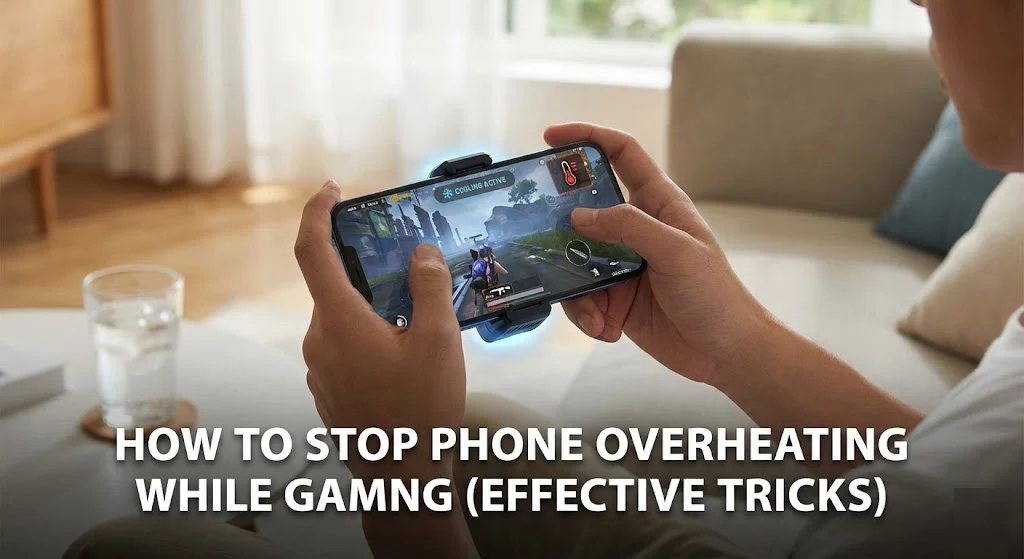
This combination is one of the primary culprits behind severe overheating. Here’s why: charging your battery creates heat through its inherent chemical process. Simultaneously, running a demanding game forces the processor to generate its own significant heat. When you do both at once, you create a feedback loop where the battery and processor heat each other up, leading to temperatures that can be damaging. Whenever possible, try to game when your phone is unplugged. If you must play while charging—perhaps during a long commute—avoid using a fast charger for that period, as it generates even more heat. Using a standard, low-power charger can help mitigate the thermal onslaught. Your battery’s long-term health will thank you.
Be Your Phone’s Personal Assistant and Close Background Apps
Your graphically intense racing game or battle royale title isn’t the only application demanding your phone’s attention. In the background, social media apps might be refreshing feeds, your email client could be syncing, and music streaming services might be cached and ready. All these processes, however small, consume precious CPU cycles and memory, generating background heat and stealing resources from your game. Make it a ritual before you launch your game: swipe away all your recent apps. On many Android devices, you can delve deeper by going to Settings > Battery to see which apps are using significant background power and restrict them. This gives your game a clean slate and the full resources of your phone, allowing it to run more efficiently and, therefore, more coolly.
Optimize Your General Phone Settings for Performance
A few quick tweaks to your phone’s system-wide settings can lower its baseline temperature, giving you more headroom for gaming. First, reduce your screen brightness to the lowest comfortable level. The display is one of the biggest power draws on the device. Next, think about connectivity. Turn off radios you aren’t using. If you’re gaming on a stable Wi-Fi connection, switch off mobile data. Disable Bluetooth if you’re not using a wireless headset. If your game doesn’t require constant location access, turn off GPS. Each of these sensors, when active, constantly searches for signals and consumes power, contributing to overall warmth. For the ultimate cooling move when playing offline or single-player games: enable Airplane Mode. This instantly shuts down all wireless radios and is remarkably effective at dropping your phone’s temperature.
Control Your Gaming Environment
Never underestimate the power of your physical surroundings. Playing a game under direct sunlight or in a hot car is a surefire way to overheat your phone from the outside in. The ambient temperature dramatically affects your device’s ability to cool itself. Always seek out a cool, shaded, and well-ventilated spot. Pay attention to the surface your phone rests on. Placing it on a soft blanket, pillow, or your lap while you game blocks the tiny vents and traps heat. Opt for hard, conductive surfaces like a wooden desk, a glass table, or even a ceramic plate, which can help wick heat away from the device’s body.
Embrace the Strategic Pause for You and Your Phone
Sometimes, the smartest tool in your arsenal is a simple break. If you feel your phone getting uncomfortably hot to the touch, it’s sending you a clear signal. Respect it. Set the phone down on a cool, flat surface, screen-side down, and walk away for five to ten minutes. This allows the internal components to passively dissipate the built-up heat. This pause isn’t just good for your hardware; it’s a perfect moment for you to stand up, stretch your hands, rest your eyes, and hydrate. You’ll return to your game more focused, with a phone that’s ready to perform at its best once again.
When to Consider Hardware and Professional Help
If you’ve diligently applied all the software and habit-based tricks above and your phone still becomes excessively hot with even moderate gaming, there might be a deeper hardware-related issue. Over time, lithium-ion batteries degrade. It’s worth checking your battery health in your phone’s settings (often under Settings > Battery > Battery Health). If its maximum capacity is significantly reduced—commonly below 80%—it may struggle under load, generate more heat, and require replacement. In some persistent cases, a factory reset (after backing up your data) can clear out any lingering software bugs or errant processes that might be causing abnormal CPU usage and heat. However, if the overheating is sudden, severe, accompanied by a rapidly swelling battery, or causes the device to shut down unexpectedly, it’s time to stop troubleshooting and consult a professional technician. Safety should always come first.
Gaming on your phone should be an escape into fantastic worlds, not a constant battle against lag and a burning device. By treating your phone as a partner in your hobby—giving it the right settings, the right environment, and the right care—you unlock its true potential. You’ll enjoy smoother frame rates, longer-lasting battery life, and the peace of mind that comes from knowing your device will be by your side, running cool and fast, for countless gaming sessions to come.